

The Developer's Dilemma
You are a Senior Engineer. You speak Python, Go, and Rust fluently. But when you try to read the AWS CloudFormation documentation, you feel like a Junior.
"The intrinsic function Ref returns the value of the specified parameter or resource." "The conditional perception of the eventual consistency model..."
You stare at the screen. The code example makes sense. The text explaining it does not. This is the Developer's Dilemma. Code is logic. Documentation is Literature about Logic. And that is a very different skill.
In this guide, we will "Debug" the English language, identifying the Stack Overflow of Nouns, the Memory Leak of Passive Voice, and how to parse vague specs.
Part 1: The "Curse of Knowledge" (Implicit Context)
Documentation is often written by the unpredictably smart engineers who built the tool. They suffer from the Curse of Knowledge. They assume you know the context they know.
They skip steps. They use abstract nouns: "Instantiation," "Propagation," "Idempotency." They assume you understand the underlying architectural philosophy. When you (the learner) read it, you are missing the Schema. You are trying to compile code without the dependencies installed.
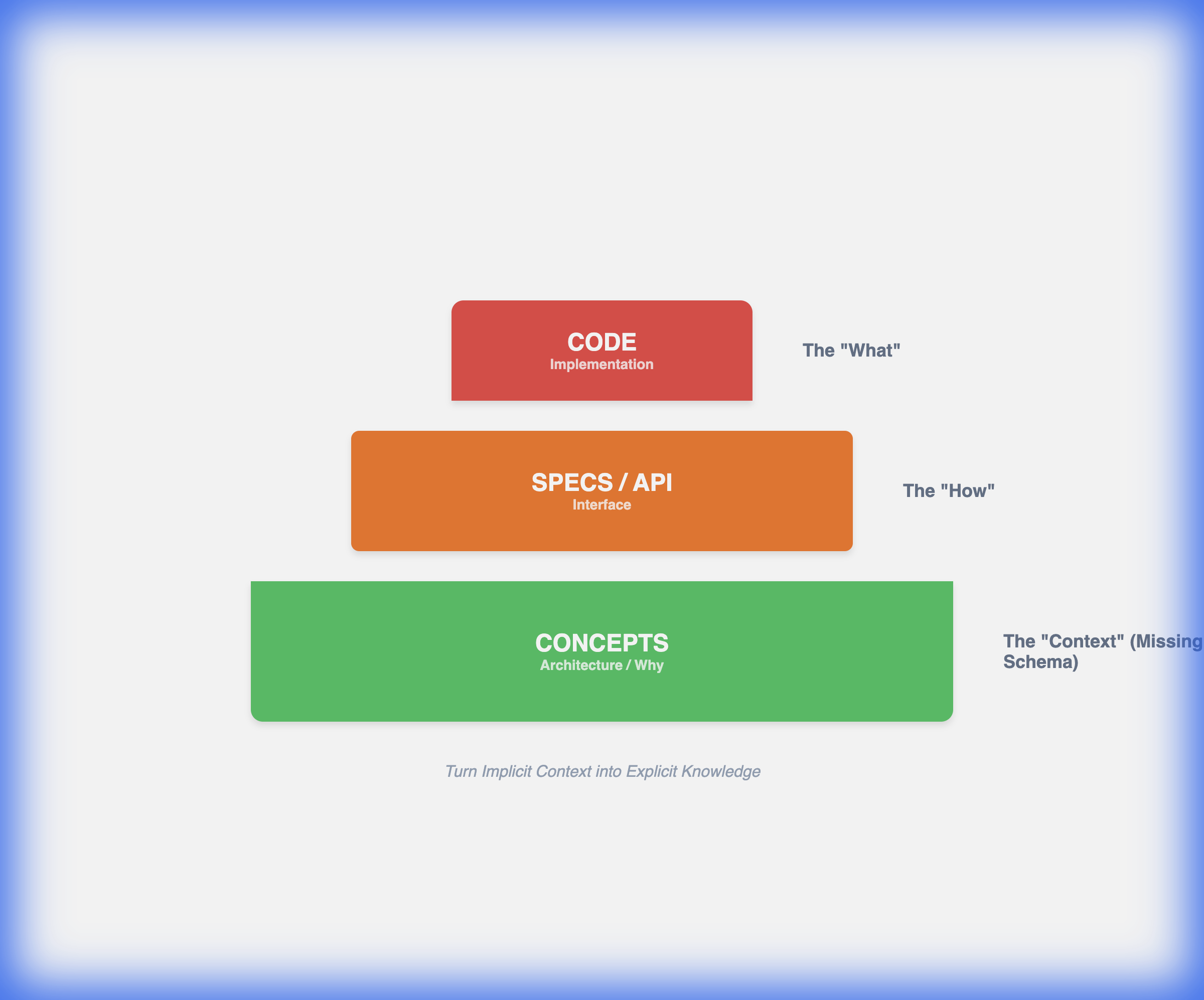
The Fix: You must manually inject the context. Before reading the API Reference (The "What"), read the Architecture Overview (The "Why"). Most devs skip the "Concepts" page to jump to the code. This is a fatal error in L2 reading.
Part 2: Noun Stacking (The Syntactic Nightmare)
Technical writers love to stack nouns.
- Normal: "To test how well the system performs."
- Tech: "System performance testing execution validation methodology."
This is a Noun Train. 5 nouns in a row. To understand it, you have to read it backwards (Right-to-Left). "Methodology... for validation... of the execution... of testing... the performance... of the system."
For a non-native speaker (whose L1 might be Spanish or French, where nouns are rarely stacked like this), this structure is parsing hell. Your Stack overflows.
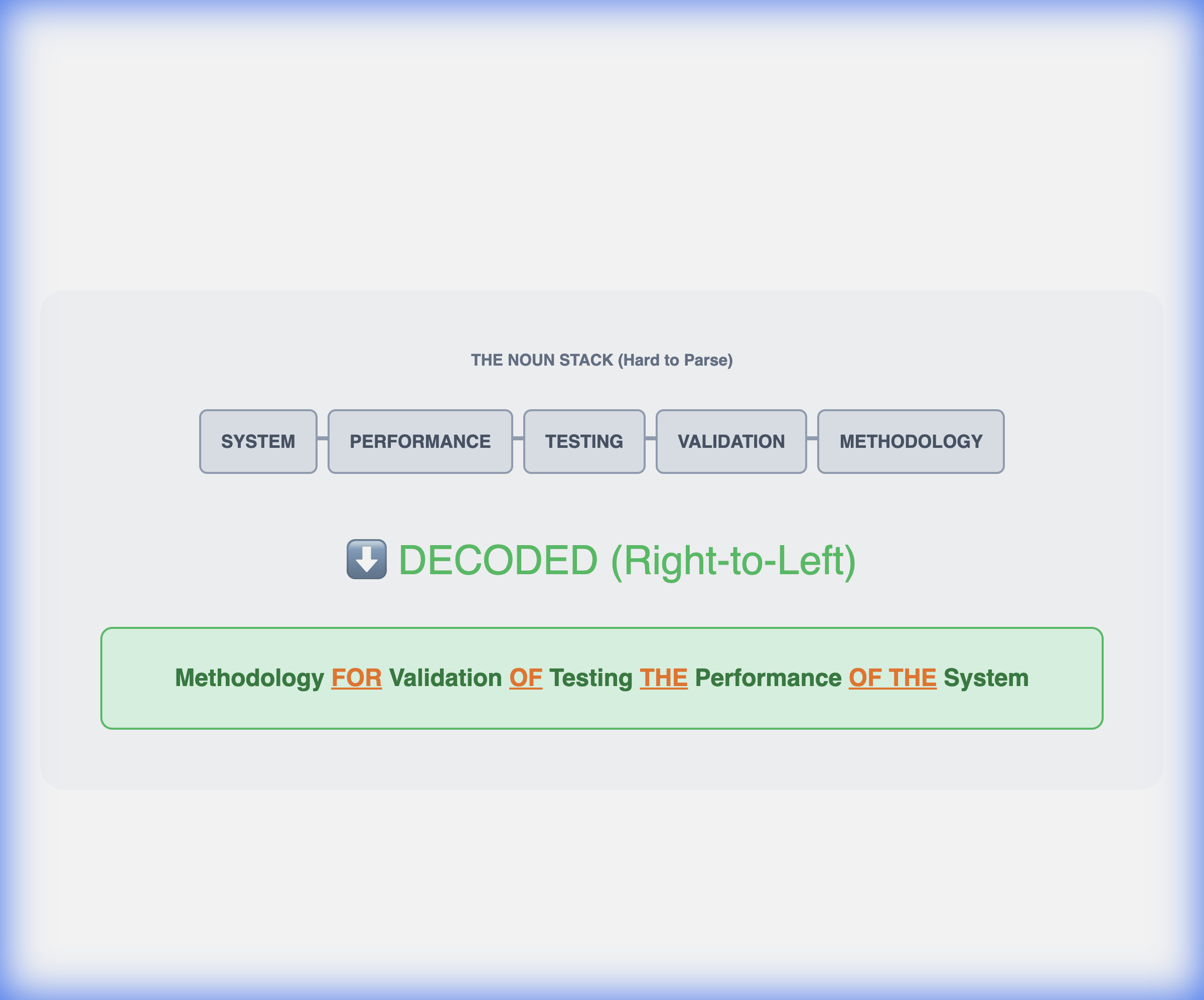
Text Clarifier Hack: Our tool identifies Noun Trains (3+ nouns) and injects prepositions. It turns the "Block" back into a "Sentence."
Part 3: The "Passive Voice" in Specs
Product Managers write requirements in the Passive Voice to avoid assigning blame.
- "The error should be handled gracefully."
- "The data must be encrypted."
Who handles the error? The Frontend? The Backend? The User? Who encrypts the data? The Client? The Server?
Passive voice hides the Actor. For a developer, knowing the Actor is critical. When you read passive voice, ask: "By Whom?" If you can't answer "By Whom," the documentation is bad.
Part 4: Case Study: Stripe vs AWS
Stripe (The Gold Standard): "We charge your customer's card."
- Active Voice.
- Simple Verbs (Charge).
- Clear Actor (We).
AWS (The Old Standard): "A charge is initiated against the payment instrument associated with the customer entity."
- Passive Voice.
- Nominalization (Initiated, Payment Instrument).
- Abstract Nouns (Entity).
Reading AWS docs requires 5x the cognitive energy of Stripe docs. It's not that AWS is "harder" tech; it's that the Linguistic Wrapper is thicker.
Part 5: Why Text Clarifier is an IDE for English
Think of Text Clarifier as a Linter or a Debugger for English text. When you see a "Noun Train," we refactor it.
- "System performance testing execution" -> "Testing how fast the system works."
We compile the "Literature" down to "Logic." We strip the "Marketing Fluff" ("Seamlessly integrated best-in-class solution") and leave the "Technical Spec" ("connects via API").
Part 6: Conclusion
Don't blame yourself for not understanding the Docs. Technical writing is hard. Most companies do it badly. They write for themselves, not for you.
Treat English as just another Library you need to import. You don't need to master the internal source code of the Library (Grammar). You just need to know the Public Interface (Meaning). Use tools to handle the implementation details.
References:
- Pinker, S. (2014). The Sense of Style.
- Spolsky, J. (2004). Joel on Software.
- Knuth, D. (1984). Literate Programming.